# Lab Equipment

<span>Here you can find information about the equipment used in the labs. </span>

# PCs

---

All computers in the lab that are used for presenting stimuli or monitoring EEG (Biosemi PCs; using ActiView) are windows computers of the model [Dell Precision 3680 Tower](https://www.dell.com/nl-nl/shop/desktops-en-werkstations/precision-3680-tower/spd/precision-t3680-workstation). You can find the exact specifications for the PCs used in the labs below. Alternatively you can download the PDF version here: [3680\_PCSpecs.pdf](https://bblabs.fgb.vu.nl/attachments/3)

#### **Specifications**

<table border="1" id="bkmrk-category-specificati" style="border-collapse: collapse; width: 67.1429%; border-width: 0px; border-style: hidden;"><colgroup><col style="width: 35.654%;"></col><col style="width: 64.346%;"></col></colgroup><thead><tr><td class="align-center" style="border-width: 0px;">**Category**</td><td class="align-center" style="border-width: 0px;">**Specification**</td></tr></thead><tbody><tr><td style="border-width: 0px;">**Model**</td><td style="border-width: 0px;">Dell Precision 3680 Tower

</td></tr><tr><td style="border-width: 0px;">**Processor (CPU)**</td><td style="border-width: 0px;">Intel® CoreTM i9-14900K (24 cores, 32 threads, up to 6.0 GHz Turbo)</td></tr><tr><td style="border-width: 0px;">**Memory (RAM)**</td><td style="border-width: 0px;">32 GB DDR5 (2×16 GB, 4400 MT/s)</td></tr><tr><td style="border-width: 0px;">**Storage**</td><td style="border-width: 0px;">1 TB NVMe Solid State Drive (Gen 4 PCIe) – No spinning hard drive</td></tr><tr><td style="border-width: 0px;">**Graphics**</td><td style="border-width: 0px;">Intel Integrated Graphics 770</td></tr><tr><td style="border-width: 0px;">**Dedicated GPU**</td><td style="border-width: 0px;">Nvidia Quadro P620</td></tr><tr><td style="border-width: 0px;">**Operating System**</td><td style="border-width: 0px;">Windows 11 Pro</td></tr><tr><td style="border-width: 0px;">**Power Supply**</td><td style="border-width: 0px;">1000W Platinum-rated PSU

</td></tr><tr><td style="border-width: 0px;">**Cooling**</td><td style="border-width: 0px;">Premium CPU Air Cooling with VR Heatsink</td></tr><tr><td style="border-width: 0px;">**Wi-Fi / Wireless** </td><td style="border-width: 0px;">Not included (Ethernet only)</td></tr><tr><td style="border-width: 0px;">**Optical Drive**</td><td style="border-width: 0px;">None (No DVD/CD drive)</td></tr></tbody></table>

When there are multiple PCs used in a set-up (B-447, B-449, EyeLink Cubicles), then the PCs are labeled '**Stimulus**', '**Biosemi**', or '**Eyelink**' respectively.

 [![Image_PCFrontView.jpg](https://bblabs.fgb.vu.nl/uploads/images/gallery/2025-11/image-pcfrontview.jpg)](https://bblabs.fgb.vu.nl/uploads/images/gallery/2025-11/image-pcfrontview.jpg) [![Image_PCSideView.jpg](https://bblabs.fgb.vu.nl/uploads/images/gallery/2025-11/scaled-1680-/image-pcsideview.jpg)](https://bblabs.fgb.vu.nl/uploads/images/gallery/2025-11/image-pcsideview.jpg)

# Monitors

---

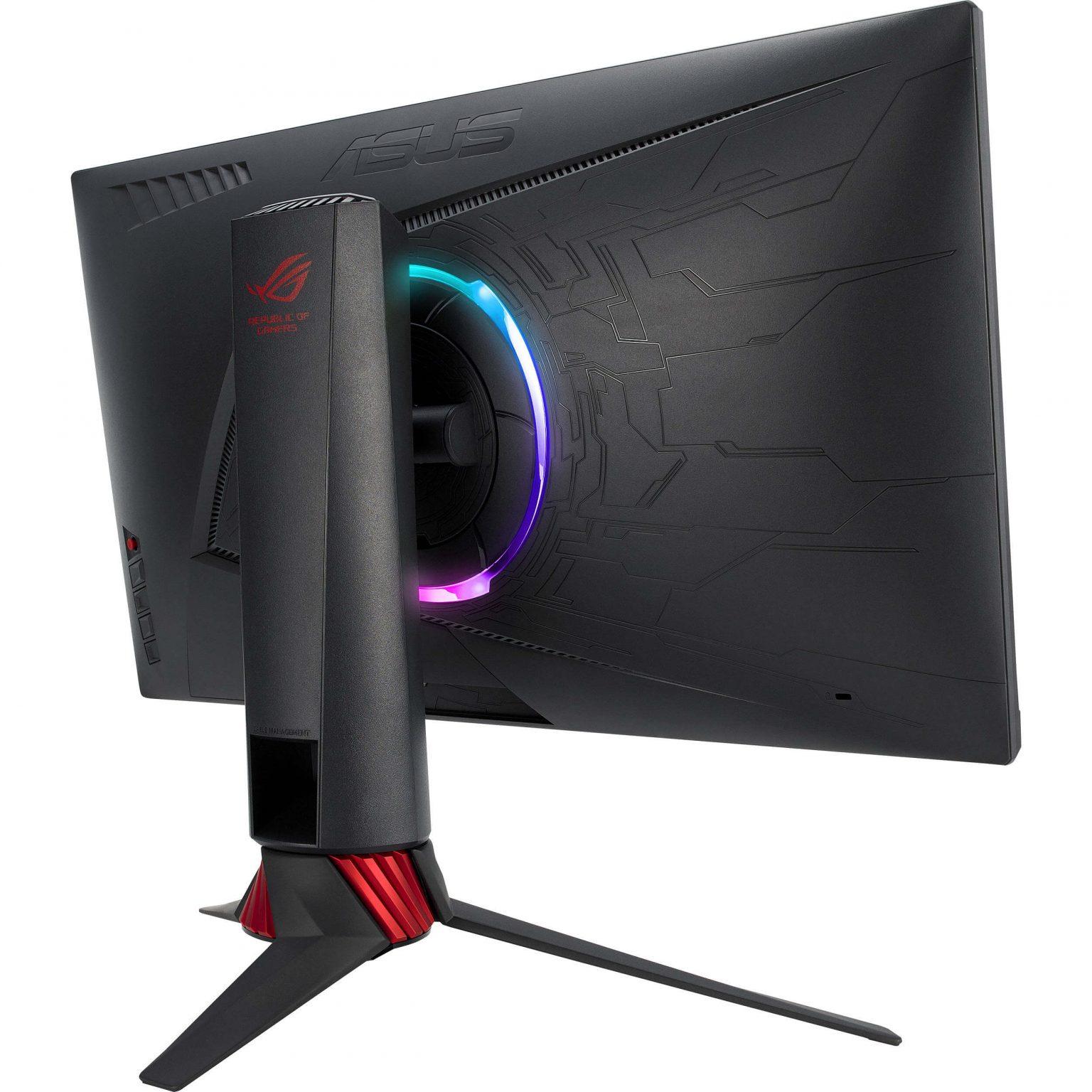
In the lab, we make use of different monitors. In the behavioural cubicles, there is only one monitor. In the EEG or EyeLink set-ups, there are at least 2 monitors. All monitors that are used for presenting stimuli are of the model [**ASUS ROG Strix XG248Q** <svg aria-hidden="true" class="" height="15" viewbox="0 0 100 100" width="15" xmlns="http://www.w3.org/2000/svg"><path d="M18.8,85.1h56l0,0c2.2,0,4-1.8,4-4v-32h-8v28h-48v-48h28v-8h-32l0,0c-2.2,0-4,1.8-4,4v56C14.8,83.3,16.6,85.1,18.8,85.1z" fill="currentColor"></path><polygon fill="currentColor" points="45.7,48.7 51.3,54.3 77.2,28.5 77.2,37.2 85.2,37.2 85.2,14.9 62.8,14.9 62.8,22.9 71.5,22.9"></polygon></svg>](https://www.displayspecifications.com/en/model/63ab131a). This is also the case for all the behavioural cubicles. The monitor that researchers look at is a slightly different model: [**ASUS ROG Strix XG258** <svg aria-hidden="true" class="" height="15" viewbox="0 0 100 100" width="15" xmlns="http://www.w3.org/2000/svg"><path d="M18.8,85.1h56l0,0c2.2,0,4-1.8,4-4v-32h-8v28h-48v-48h28v-8h-32l0,0c-2.2,0-4,1.8-4,4v56C14.8,83.3,16.6,85.1,18.8,85.1z" fill="currentColor"></path><polygon fill="currentColor" points="45.7,48.7 51.3,54.3 77.2,28.5 77.2,37.2 85.2,37.2 85.2,14.9 62.8,14.9 62.8,22.9 71.5,22.9"></polygon></svg>](https://www.displayspecifications.com/en/model/924edf3). You can find more details in the linked webpages.

##### **ASUS ROG Strix XG248Q (Stimulus)**

**Resolution:** 1920 x 1080 pixels / Full HD  
**Diagonal:** 23.8 inches / 60.4 cm  
**Width x Height:** 527 x 296 mm  
**Refresh Rate:** 48 - 240Hz / Actual max: 239.96Hz

##### **ASUS ROG Strix XG258 (Researcher)**

**Resolution:** 1920 x 1080 pixels / Full HD  
**Diagonal:** 24.5 inches / 62.2 cm  
**Width x Height:** 544 x 303 mm  
**Refresh Rate:** 48 - 240Hz / Actual max: 239.76Hz

<p class="callout info">By default, the refresh rate of the monitors are set to 240Hz. You can change this in the Windows settings if you need to set the monitor to a lower refresh rate. You can also adjust it through the GPU's Control Panel.</p>

 [![Image_XG248QBack.jpg](https://bblabs.fgb.vu.nl/uploads/images/gallery/2025-12/scaled-1680-/image-xg248qback.jpg)](https://bblabs.fgb.vu.nl/uploads/images/gallery/2025-12/image-xg248qback.jpg) [![Image_MonitorHanging.jpg](https://bblabs.fgb.vu.nl/uploads/images/gallery/2025-12/scaled-1680-/image-monitorhanging.jpg)](https://bblabs.fgb.vu.nl/uploads/images/gallery/2025-12/image-monitorhanging.jpg)
If you need monitors with specific requirements (touchscreen, dimension, refresh rate, resolution, etc.), then contact the [Lab Coordinator ](https://bblabs.fgb.vu.nl/books/brain-behaviour-lab/page/people "People")and we can discuss the possibilities.

# Support & Peripherals

---

There are all sorts of support or peripheral equipment in the lab that you can use. Some of them are described below. If you need something specific for your research, you can discuss this with the [Lab Coordinator](https://bblabs.fgb.vu.nl/books/brain-behaviour-lab/page/people "People") to see what is possible.

<p class="callout info">If you notice that something is broken, missing, or malfunctioning, please report this to the Lab Coordinator. </p>

##### **Extension Cords** 

There are special extension cords under the desks that provide power to the monitors or EyeLink cameras <span style="text-decoration: underline; color: rgb(224, 62, 45);">only when the corresponding computer is turned on</span>. This is to prolong the lifespan of the equipment. We advise you not to use these extension cords for your own devices. Please use the sockets that are on top of the desk. Also, please do not change anything to how the extension cords are set up. Inside of the participant rooms, there are additional sockets available.

##### **Intercoms**

In the EEG and EyeLink set-ups, there are intercoms present for communication with participants during the experiment. Turn the round button clockwise to hear your participant speaking. Turn this button more than halfway from low to high to have a good volume. When speaking to your participant, keep the button with the word "talk" pressed (this is not needed for the participant, you can always hear them talk when the volume is turned up).

Some rooms already have a newer intercom, in these rooms you need to press the buttons only once to speak or hear the participant.

##### **Webcams**

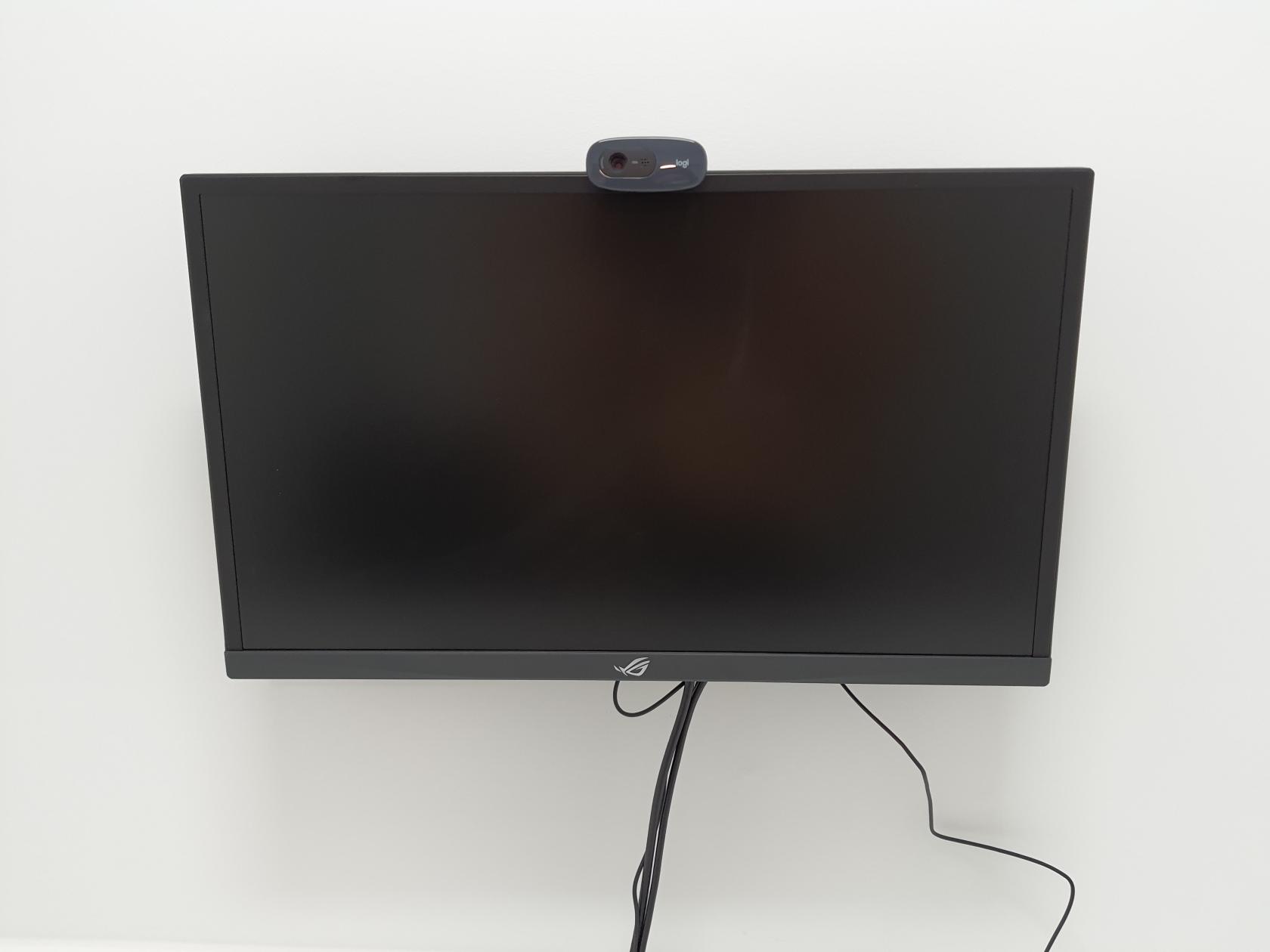
There are webcams (Logitech C270) mounted on the stimulus screen of every cubicle. These can record in 720p and have a microphone. If it is missing, you can find some extra in the hallway closets that are unlocked. In addition, we have a couple of webcams that can record in 1080p (Full HD). In order to use these or if you cannot find extra webcams, you need to contact the Lab Coordinator.

##### **High-Speed Keyboards &amp; Mice**

You can use high speed keyboards in the lab, for example for experiments measuring response times. The keyboard is the Corsair K100 RGB. The HID Keyboard Report Rate is up to 8.000 Hz. See [this <svg aria-hidden="true" class="" height="15" viewbox="0 0 100 100" width="15" xmlns="http://www.w3.org/2000/svg"><path d="M18.8,85.1h56l0,0c2.2,0,4-1.8,4-4v-32h-8v28h-48v-48h28v-8h-32l0,0c-2.2,0-4,1.8-4,4v56C14.8,83.3,16.6,85.1,18.8,85.1z" fill="currentColor"></path><polygon fill="currentColor" points="45.7,48.7 51.3,54.3 77.2,28.5 77.2,37.2 85.2,37.2 85.2,14.9 62.8,14.9 62.8,22.9 71.5,22.9"></polygon></svg>](https://www.corsair.com/us/en/p/keyboards/ch-912a01a-na/k100-rgb-optical-mechanical-gaming-keyboard-corsair-opx-switch-black-ch-912a01a-na#tech-specs) link for additional technical details. The colours on the keyboard can be changed (or turned off). By pressing on Q6 you can switch between some pre-defined colour-profiles. You can also set-up your personalised key-colours by going to the iCUE software (for example to only brighten up the arrows, or the letters 'L' and 'R'). You can request this keyboard from the Lab Coordinator.

\[LINK AND TEXT ABOUT HIGH\_SPEED MICE\]

##### **Headsets**

There is the possibility to borrow headsets in the lab. The headset contains a retractable microphone with a frequency of 100-10.000 Hz. There is a volume dial on the headset themselves to make adjustments. There are three cables of 1,5 m with different plug options: USB-C to USB-C, USB-C to USB-A-adaptor, USB-C to 3,5 mm minijack. For more technical details see [this <svg aria-hidden="true" class="" height="15" viewbox="0 0 100 100" width="15" xmlns="http://www.w3.org/2000/svg"><path d="M18.8,85.1h56l0,0c2.2,0,4-1.8,4-4v-32h-8v28h-48v-48h28v-8h-32l0,0c-2.2,0-4,1.8-4,4v56C14.8,83.3,16.6,85.1,18.8,85.1z" fill="currentColor"></path><polygon fill="currentColor" points="45.7,48.7 51.3,54.3 77.2,28.5 77.2,37.2 85.2,37.2 85.2,14.9 62.8,14.9 62.8,22.9 71.5,22.9"></polygon></svg>](https://nl.steelseries.com/gaming-headsets/arctis-nova-3) link.

##### **Chinrests**

Most of the EEG and EyeLink have chinrests installed. You can find extra ones in the supply closet in the back of space B447. Some cubicles also have chinrests. If you need more, contact the Lab Coordinator.

##### **Other**

You can find all sorts of other support equipment, like cables, mice, writing materials, keyboards, etc., in the unlocked closets in the hallway of the Brain &amp; Behaviour lab. You may grab what you need there. Make sure to <span style="text-decoration: underline;">put borrowed items back</span> if you no longer need them.

\[EXAMPLE PICTURES OF HALLWAY CLOSET\]